
New Version 5! We have just released a new version 5. Please see ShowSize 5 page for more details on new features.
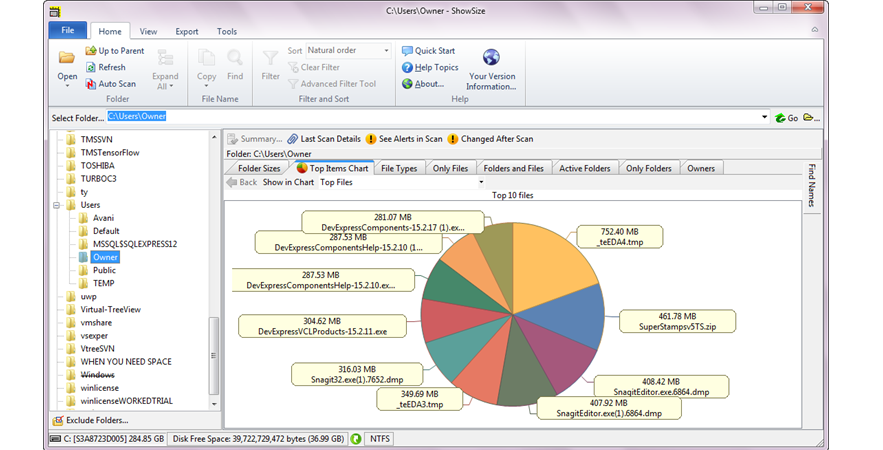
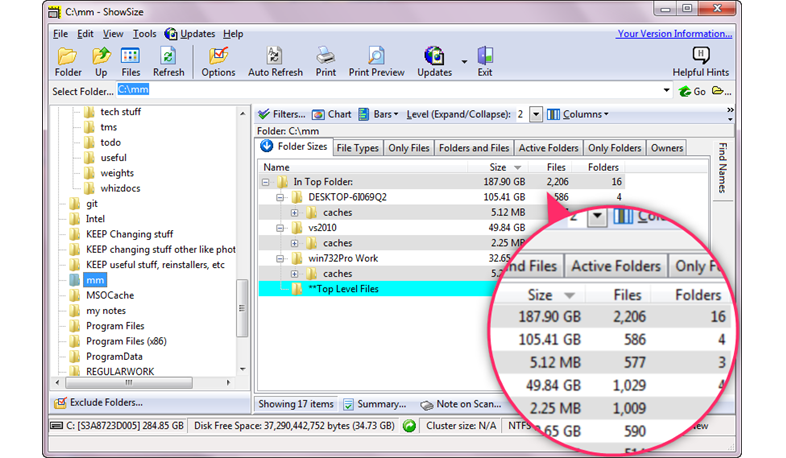
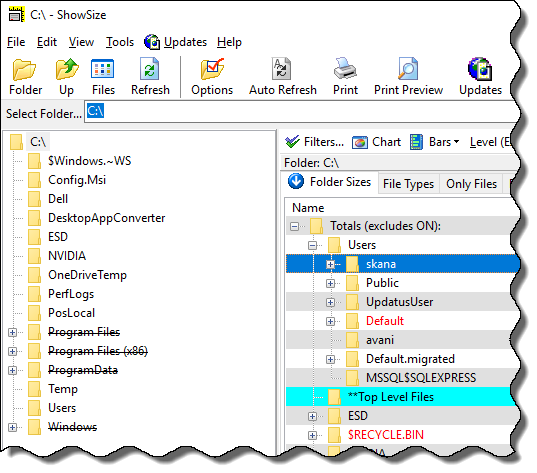
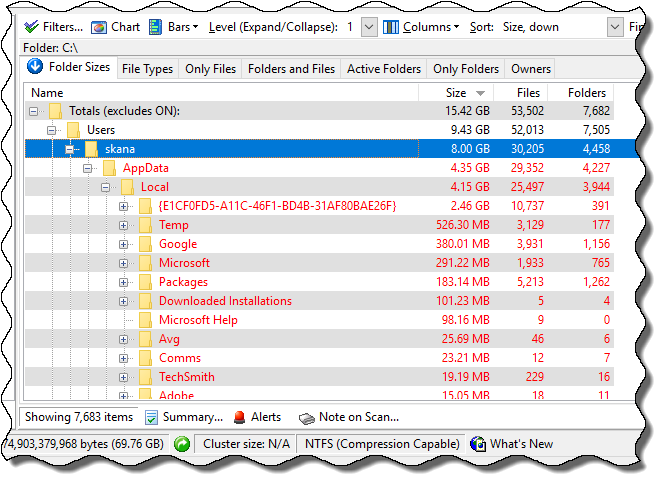
Get this amazing Disk utility that gives you five new reports in one disk scan! You already know that Windows Explorer does not show folder sizes in its list. ShowSize can do that and much more. See how your disk space is distributed in various folders and file types, and so on. ShowSize is the next generation software that can process terabytes of disk space and millions of files. Click on the following picture to see some screenshots. You can also see some flash demos by the clicking on the Demos link above. Using ShowSize, you can also list or print folder contents in ways not possible with Windows Explorer.
Get the following useful reports in one scan of a disk! A complete tree of folders showing their total occupied size
The total number of files and folders in these folders
Files grouped by file types with size of the group
All the folders and files in a single list
A list of files unused in so many days (this report is discontinued on Windows Vista)
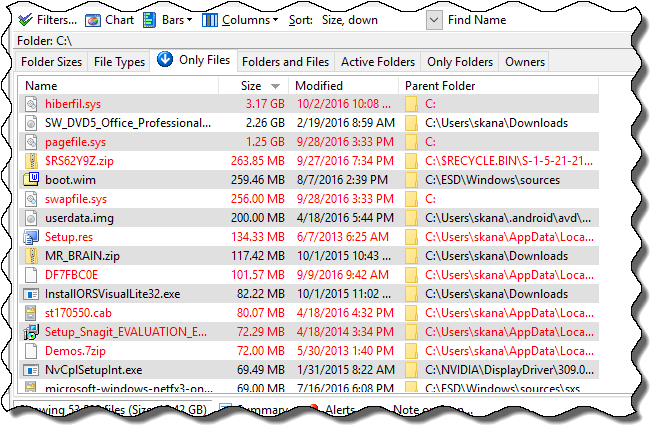
A single list of all the files contained in the disk (not in ShowSize PE)
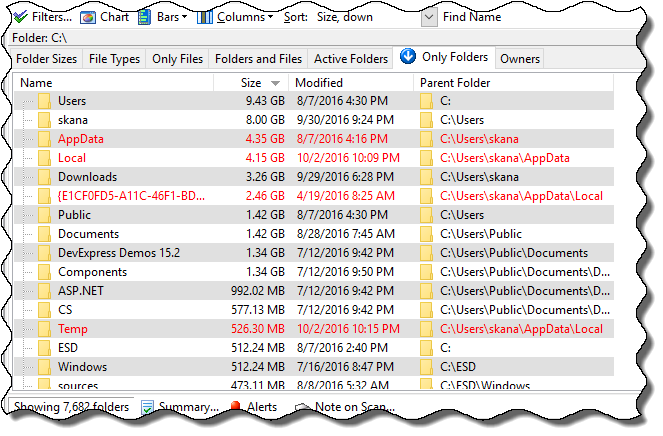
A single list of all the folders contained in the disk (not in ShowSize PE)
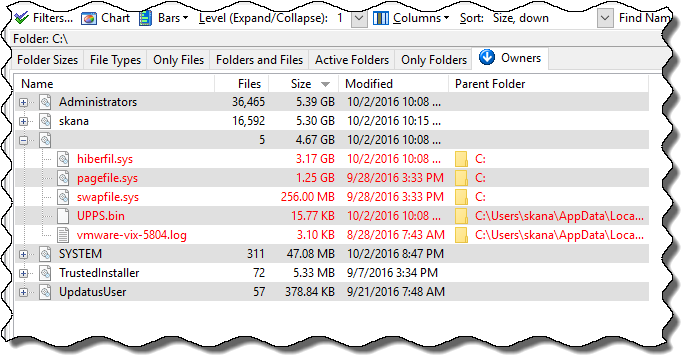
List of owners (only in ShowSize 5-user-license or more)
To see some examples and how these new types of lists can be useful, please see the Screenshots by clicking the picture on the right.
ShowSize is designed for speed and high capacityScans can take time: Scans for folder sizes take time. Any software that performs such scans has to be cancelable. Read more about the superior design of ShowSize software in the Blog articles under Why use ShowSize?.ShowSize is an innovative product in a class of its own. It uses a virtual listing technology that can process and display terabytes of disk space and millions of files. Ordinary software will break on such large data. Scanning a big disk full of millions of files may take a lot of time, especially on network drives. In ShowSize all such scan operations are cancelable so that you avoid irritating waits or hangs which are quite common with many disk utilities. In spite of all the powerful features listed next, ShowSize is easy to use. Just see the following flash demo for yourself.
ShowSize has many more power features: Customize the report columns by drag and drop
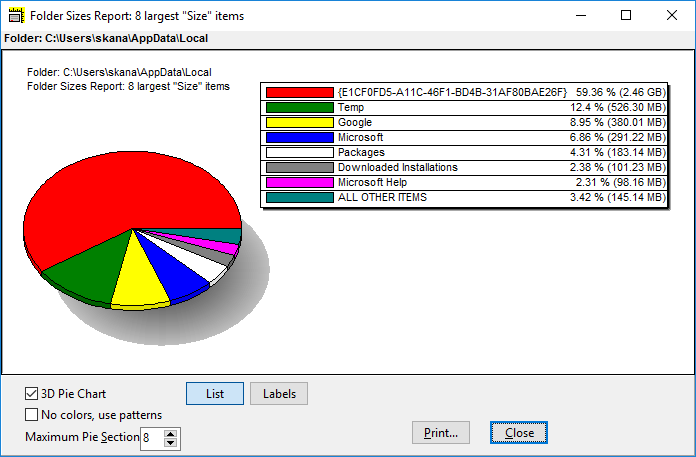
See pie chart on many of the reports
See wasted space in partial clusters
Install a ShowSize menu in Explorer
Nice printing features to print the lists
UNC path support (not in ShowSize PE)
Powerful command line features (not in ShowSize PE)
Export data to CSV format (not in ShowSize PE)
Save report to view later (only in ShowSize 5-user-license or more)
Fully functional 30-day trial available
Costs US$49.95 only (PE version $25 only) with free updates for 2 years
Fully functional 30-day trial available
|
||
|
With new technology, the disk space is gobbled up faster than you can imagine. Stuff like downloaded files and AVI movie files can take up a large chunk of disk space. Whether you are a home user or a Network Admin, you need a tool to understand how the disk space is distributed in various folders and file types. With that knowledge, you are in a better position to make room for new software and data.
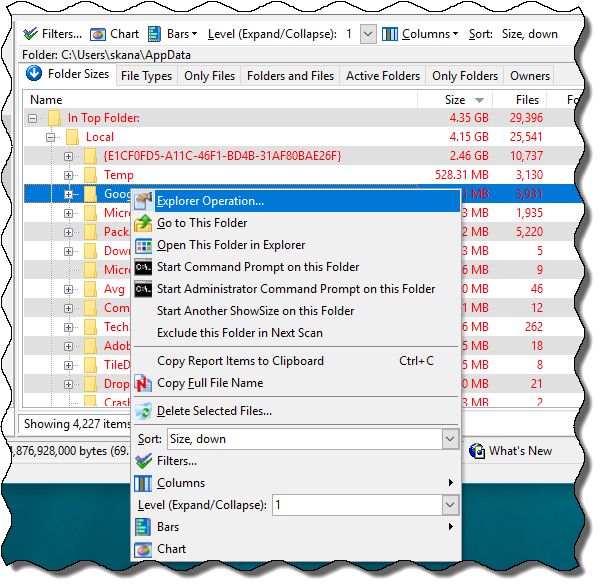
A single scan in ShowSize gives you six different reports Folder Sizes Report: Use this report and get a breakdown of folder sizes, wasted space, number of files, etc.
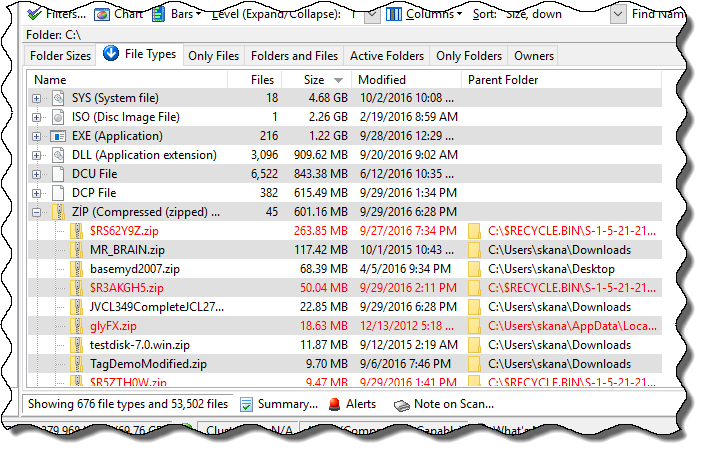
File Types Report: Use this report and find out how much space is occupied by the files of a certain type (having a certain file extension). For example, you can find out how much space is occupied by .JPG files in a folder and all its subfolders. You can also see a complete list of files of a particular type by simply clicking on the + button next to a file type item.
Unused Files Report (discontinued on Windows Vista): Use this report and see a list of files not used in last so many days. To change the number of days to look for, click on the days box and type a new value. Then, click on the button Change next to it.
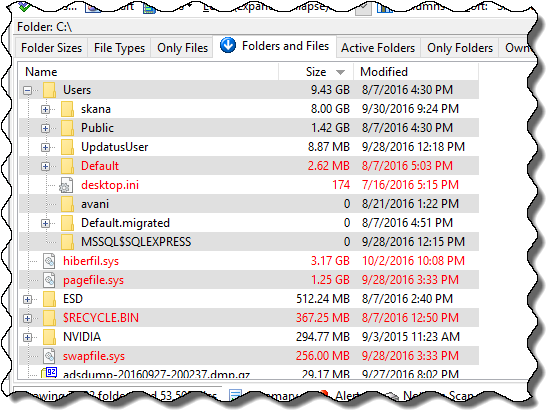
Folders and Files Report: Use this report and get an Explorer like view but with a difference. It is more like the left pane of Windows Explorer but the difference is that it lists the files too. So if you ever need to look at or print the folders and the files in one screen, this is the way to go. It also lists folder sizes but doesn't have all the features of Folder Sizes report. It can be useful when you want to quickly drill down a folder to see various sizes of files and folders.
Only Files Report (not available in ShowSize PE): Use this report and get some file management features that Windows Explorer or other utilities do not give. This report shows you a different all-encompassing view of your files. This gives you new ways to explore your file system. For example, you can sort on file sizes and find the largest files contained on a drive or a folder. Or, you can sort on dates and see the oldest files.
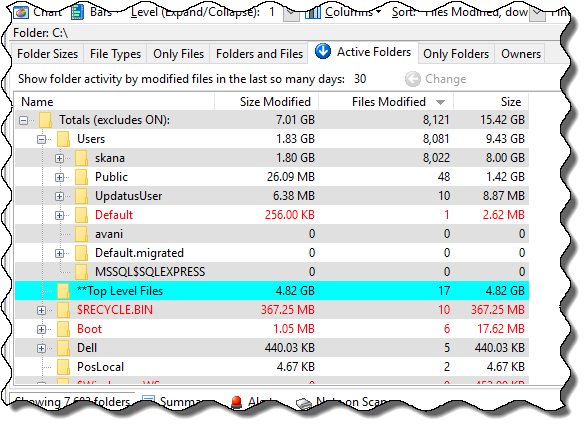
Active Folders Report (not available in ShowSize PE): Use this report and see active folders by the size or number of files modified in the last so many days. Hence, you can determine most active folders based on various criteria that you want to use. See the example usage below. To change the number of days to look for, click on the days box and type a new value. Then, click on the button Change next to it.
More features Easy report customization: Choose which columns you want to display, drag and drop the columns to change the order, sort on a different criteria or column, show the percentage bars, show the pie chart, and a host of other features.
Designed for speed: The software directly scans a given folder and there are even features to do away with the left pane for slow network drives. Moreover, it uses its own cache when you drill down the folders in the same report. The virtual listing technology in ShowSize can list millions of items making it possible to produce the Only Files report described above. Ordinary software would choke on such a list. See more details in You can depend on Optimized Performance later on this page.
Wasted space display: Wasted space estimation based on the cluster size and the file system. Some limitations.
Interface with Explorer: Install a right-click menu in Windows Explorer to directly scan a folder with ShowSize.
Extensive printing: Ability to restart from a page number for huge listings.
UNC (network) path support (not available in ShowSize PE): No need to map the network path to a drive letter. Directly scan a network UNC path.
Powerful command line features (not available in ShowSize PE): All sorts of command line switches for power users so that they can run ShowSize from batch files.
Export to CSV format (not available in ShowSize PE): Save a report to CSV format so that you can import it in a spreadsheet or database to do your own analysis.
Having questions
Please see the ShowSize Weblog. You might find the answer quicker instead of waiting for a reply from us.
|
Why we claim that ShowSize is designed for speed and high capacity?See more details in "You can depend on Optimized Performance".
Download ShowSize PE Now! - Click Now and get the software that is guaranteed to help you know your file system better
for Windows 95/98/2000/XP * Compact Download Size: 2 MB only * Use FREE for 30 days "There is no doubt that Showsize is a bargain! I have not been able to find another program at ANY price that does even half as much." Patrick Stallings
"I just wanted to let you know what a great product Showsize is. I have been looking for this type of utility for months and finally came across your program. You have made my life so much easier as I now can produce the reports I need for users at our company." Scott Abel
"Excellent program ... absolutely every option one could possibly think of!" Chris Goodliffe
Read more comments to know what the users are saying about this amazing software. Get in control of your disk space. Download Today. Order ShowSize Now!ShowSize Price: US$49.95 only ShowSize PE (Personal Edition) Price: US$25 only * Get free updates for two years! * You can't go wrong with this deal as you get a 30-day-no-questions-asked refund guarantee. So you risk nothing.. HOT OFFER: Upgrade Protection for two years!Once you purchase ShowSize, you can download the latest version from an automated web site. You can also get registration codes again if you lost them. This facility is available free of charge for two years. After that the upgrade protection can be renewed for a discounted upgrade price.Already a paid version customer? Click here to enter the User Support Area. |
|